I’ve finally added support for adding new annotations to Evince. At the moment only text annotations are supported and it requires poppler from current git master. There are still things to do, but the main functionality is working now. The idea is to add support for more annotation types (geometry, highlight, file attachments, …) during the next release cycle, since we are close to feature freeze. Click on the image to see a screencast showing how it currently works, you can add annotations from the side panel, change the default properties (author, color, transparency, icon, …), and save a copy that can be opened with any other document viewer that supports annotations like, of course, Acrobat Reader.
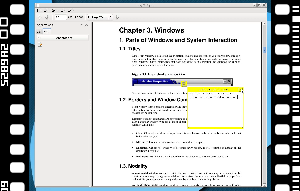 |
| (click to play back, ogg/theora, ~8,7M MBytes) |
By the way

Hello Carlos,
It’s a great step towards getting annotations thanks. I have few remarks:
Wouldn’t it be better to have annotations on the side of the document in a separate column as with LibreOffice? The annotation here overlaps the document one is reading.
(It might just as well be easier to realise graphically as you’d need to rely on widgets rather than drawing on layer above the document.)
Annotations cannot be erased at the moment.
It would be great to have the ability to export the totality of annotations too, in a single text file.
Thanks.
Hi Carlos,
It’s great that you have brought Annotations in PDF to linux.
I have one doubt about this.
When I tried to add an annotation, the text was in yellow colour in white background, making it almost impossible to read the text. When I tried to change the colour, only the border colour changes and not the text colour. Is there a way to change the text colour in Annotations.
No, it’s not possible yet.
Karthik, that seems to be a bug, same thing if you change the icon, it doesn’t show up.
A work around is, make the changes, save the pdf (or a new pdf with the Annotations ) then reopen it. you will now see your preferences.
Aka. if you set the colour to purple it will now be purple.
Hi Carlos,
Thanks for adding comments/ annotations to Evince. It is awesome and really helps with having a good open source PDF document Acrobat replacement in Linux.
However, is it just me or is it only possible to add annotations, but not remove them? I tried it with both with Acrobat created and Evince created annotations and was not able to delete these annotations for the document with Evince. Also, I saw that your instructional video here only creates but does not delete annotations. Furthermore, I noticed that annotations on a landscape oriented page do not open/ can not be viewed. Am I overlooking something, or is this work in progress?
Thanks again for your awesome work!
Yes, move and delete annotations are not implemented yet. See https://bugzilla.gnome.org/show_bug.cgi?id=649044