Category Archives: Igalia-Chromium

Articles related to Chromium

Share my experience to build Chromium with ICECC and Jumbo

If you’re a Chromium developer, I guess that you’ve suffered from the long build time of Chromium like me. Recently, I’ve set up the icecc build environment for Chromium in the Igalia Korea office. Although there have been some instructions how to build Chromium with ICECC, I think that someone might feel they are a bit difficult. So, I’d like to share my experience how to set up the environment to build Chromium on the icecc with Clang on Linux in order to speed up the build of Chromium.

P.S. Recently Google announced that they will open Goma (Google internal distributed build system) for everyone. Let’s see goma can make us not to use icecc anymore 😉
https://groups.google.com/a/chromium.org/forum/?utm_medium=email&utm_source=footer#!msg/chromium-dev/q7hSGr_JNzg/p44IkGhDDgAJ

Prerequisites in your environment

  1. First, we should install the icecc on your all machines.
    sudo apt-get install icecc ccache [icecc-monitor]
  2. To build Chromium using icecc on the Clang, we have to use some configurations when generating the gn files. To do it as easily as possible, I made a script. So you just download it and register it to $PATH. 
    1. Clone the script project
      $ git clone https://github.com/Gyuyoung/ChromiumBuild.git

      FYI, you can see the detailed configuration here – https://github.com/Gyuyoung/ChromiumBuild/blob/master/buildChromiumICECC.sh

    2. Add your chromium/src path to buildChromiumICECC.sh
      # Please set your path to ICECC_VERSION and CHROMIUM_SRC.
      export CHROMIUM_SRC=$HOME/chromium/src
      export ICECC_VERSION=$HOME/chromium/clang.tar.gz
    3. Register it to PATH environment in .bashrc
      export PATH=/path/to/ChromiumBuild:$PATH
    4. Link Clang to icecream so that Clang gets redirected trough Icecream
      $ cd /usr/lib/icecc/bin
      $ sudo ln -s /usr/bin/icecc ./clang
      $ sudo ln -s /usr/bin/icecc ./clang++
    5. Add the patched Chromium version of the Clang executable to your PATH right after Icecream
      $ export PATH="/usr/lib/icecc/bin:$HOME/chromium/src/third_party/llvm-build/Release+Asserts/bin/:$PATH"
    6. Create a clang toolchain from the patched Chromium version
      I added the process to “sync” argument of buildChromiumICECC.sh. So please just execute the below command before starting compiling. Whenever you run it, clang.tar.gz will be updated every time with the latest Chromium version.

      $ buildChromiumICECC.sh sync

Build

  1. Run an icecc scheduler on a master machine,
    sudo service icecc-scheduler start
  2. Then, run an icecc daemon on each slave machine
    sudo service iceccd start

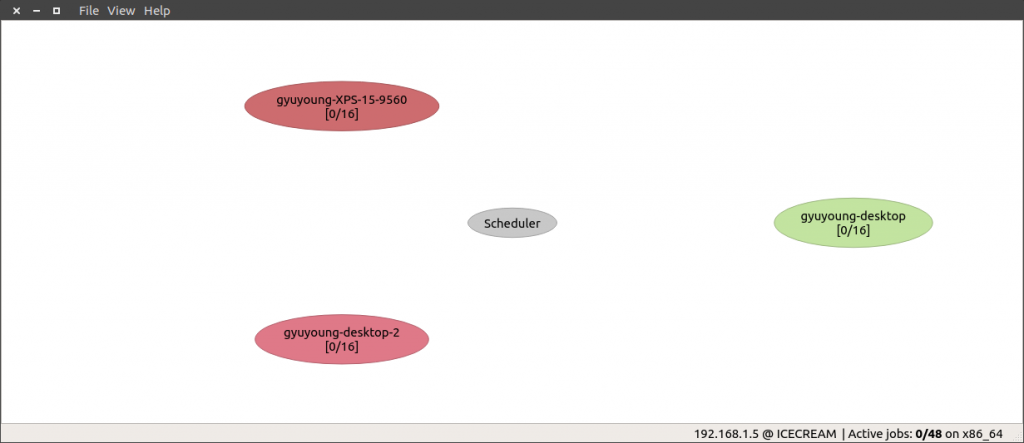
    If you run icemon, you can monitor the build status on the icecc.
  3. Start building in chromium/src
    $ buildChromiumICECC.sh Debug|Release

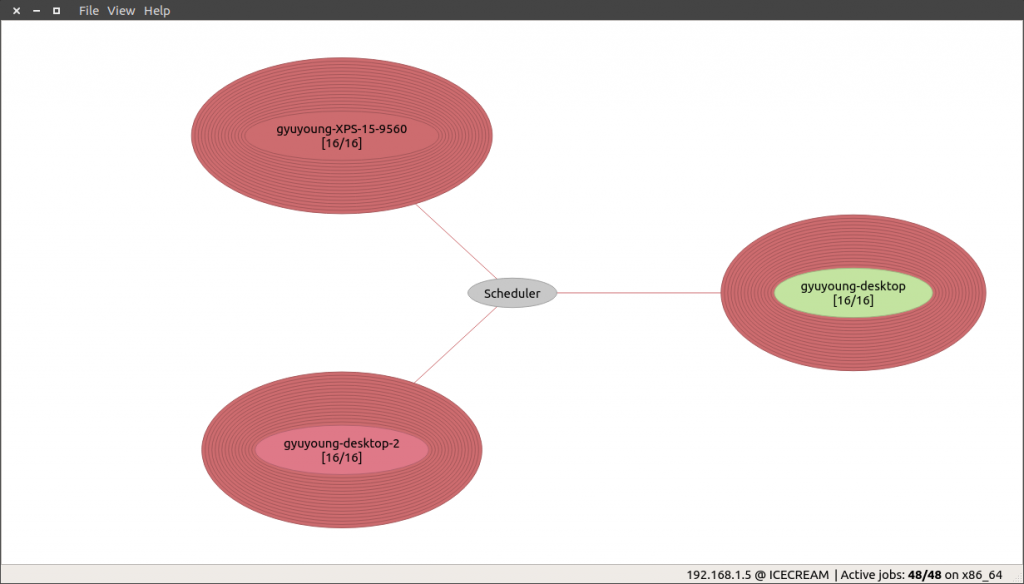
    When you start building Chromium, you’ll see that the icecc works on the monitor!
Build Time

In my case, I’ve  been using 1 laptop and 2 desktops for Chromium build. The HW information is as below,

  • Laptop (Dell XPS 15″ 9560)
    1. CPU: Intel(R) Core(TM) i7-7700HQ CPU @ 2.80GHz
    2. RAM: 16G
    3. SSD
  • Desktop 1
    1. CPU: Intel(R) Core(TM) i7-4790K CPU @ 4.00GHz
    2. RAM: 16G
    3. SSD
  • Desktop 2
    1. CPU: Intel(R) Core(TM) i7-4790K CPU @ 4.00GHz
    2. RAM: 16G
    3. SSD

I’ve measured how long time I’ve spent to build Chromium with the script in below cases,

  • Laptop
    • Build time on Release with the jumbo build: About 84 min
    • Build time on Release without the jumbo build: About 203 min
  • Laptop + Desktop 1 + Desktop 2
    • Build time on Release with the jumbo build: About 35 min
    • Build time on Release without the jumbo build: About 73 min

But these builds haven’t applied any object caching by ccache yet. If ccache works next time, the build time will be reduced. Besides, the build time is depended on the count of build nodes and performance. So this time can differ from your environment.

Troubleshooting

  1. Undeclared identifier
    1. Error message
      /home/gyuyoung/chromium/src/third_party/llvm-build/Release+Asserts
       /lib/clang/6.0.0/include/avx512vnniintrin.h:38:20:
       error: use of undeclared identifier '__builtin_ia32_vpdpbusd512_mask'
       return (__m512i) __builtin_ia32_vpdpbusd512_mask ((__v16si) __S, ^
    2. Solution
      Restart to icecc-scheduler and all icecc nodes.
  2. Out of Memory
    1. Error message
      LLVM ERROR: out of memory
    2. Solution
      • Add more physical RAM to the machine.
      • Alternatively, we can try to increase the space of swap. (But, this may not solve the OOM issue. In such a case, we should increase the physical RAM)
        • For example, create a 4G swap file
          $ size="4G" && file_swap=/swapfile_$size.img && sudo touch $file_swap && sudo fallocate -l $size /$file_swap && sudo mkswap /$file_swap && sudo swapon -p 20 /$file_swap
          

        • Make the swap file permanent
          # in your /etc/fstab file
          /swapfile    none    swap    sw,pri=10      0       0
          /swapfile_4G.img     none    swap    sw,pri=20      0       0
        • Check swap situation after reboot
          $ sudo swapon  -s
          Filename       Type     Size        Used    Priority
          /swapfile      file     262140      0       10
          /swapfile_4G.img       file     4194300     0       20

Reference

  1. WebKitGTK SpeedUpBuild: https://trac.webkit.org/wiki/WebKitGTK/SpeedUpBuild
  2. compiling-chromium-with-clang-and-icecc : http://mkollaro.github.io/2015/05/08/compiling-chromium-with-clang-and-icecc/
  3. Rune Lillesveen’s icecc-chromium project:
    https://github.com/lilles/icecc-chromium
  4. How to increase swap space?
    https://askubuntu.com/questions/178712/how-to-increase-swap-space

What is navigator.registerProtocolHandler?

UPDATE: I made a presentation at the lightning session of BlinkOn9 Sunnyvale.

Have you heard that navigator.registerProtocolHandler javascript API?

The API is to give you the power to add your customized scheme(a.k.a. protocol) to your website or web application. If you register your own custom scheme, it can help you to avoid collisions with other DNS, or help other people use it correctly, and be able to claim the moral high ground if they use it incorrectly. In this post, I would like to introduce the feature with some examples, and what I’ve contributed to the feature.

Introduction

The registerProtocolHandler had been started discussing since 2006. Finally, it was introduced in HTML5 for the first time.

This is a simple example of the use of navigator.registerProtocolHandler. Basically, the registerProtocolHandler takes three arguments,

  • scheme – The scheme that you want to handle. For example, mailto, tel, bitcoin, or irc.
  • url – A URL within your web application that can handle the specified scheme.
  • title – The title of the handler.
<script>
     navigator.registerProtocolHandler("web+search",
                                       "https://www.example/search/url=%s",
                                       "web search");
</script>
<a href="web+search:igalia">Igalia</a>

As this example, you can register a custom scheme with a URL that can be combined with the given URL(web+search:igalia)

However, you need to keep in mind some limitations when you use it.

  1. URL should include %s placeholder.
  2. You can register own custom handler only when the URL of the custom handler is same the website origin. If not, the browser will generate a security error.
  3. There are pre-defined schemes in the specification. Except for these schemes, you’re only able to use “web+foo” style scheme. But, the length of “web+foo” is at least five characters including ‘web+’ prefix. If not, the browser will generate a security error.
    • bitcoin, geo, im, irc, ircs, magnet, mailto, mms, news, nntp, openpgp4fpr, sip, sms, smsto, ssh, tel, urn, webcal, wtai, xmpp.
  4. Schemes should not contain any colons. For example, mailto: will generate an error. So, you have to just use mailto.

Status on major browsers

Firefox (3+)

When Firefox meets a webpage which includes navigator.registerProtocolHandler as below,

navigator.registerProtocolHandler("web+search",
                                  "https://www.example/search/url=%s",
                                  "web search");

It will show an alert bar just below the URL bar. Then, it will ask us if we want to add the URL to the Firefox handler list.

After allowing to add it to the supported handler list, you can see it in the Applications section of the settings page (about:preferences#general).

Now, the web+github custom scheme can be used in the site as below,

<a href="web+github:wiki">Wiki</a>
<a href="web+github:Pull requests">PR</a>

Chromium (13+)

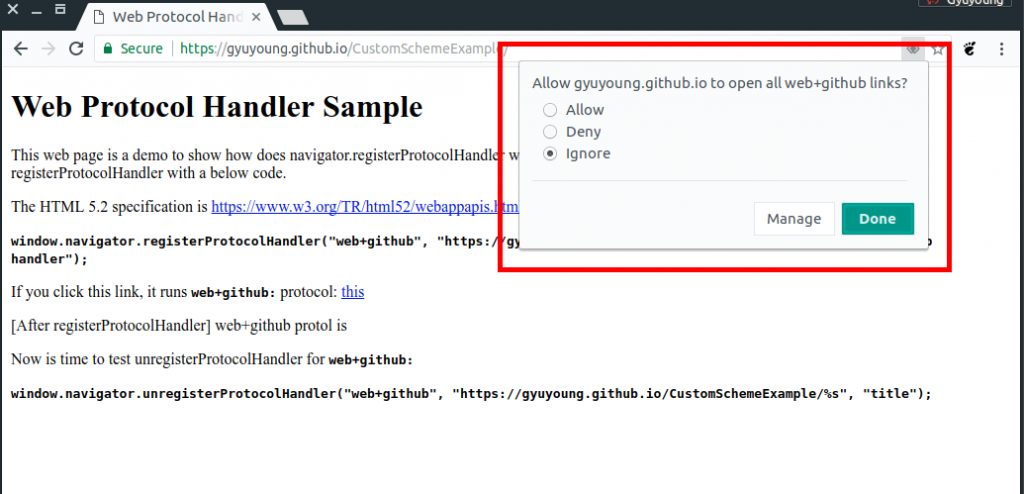
Let’s take a look Chrome on the registerProtocolHandler. In Chrome, Chrome shows a new button inside the URL bar instead of the alert bar in Firefox.

If you press the button, a dialog will be shown in order to ask if you allow the website to register the custom scheme.

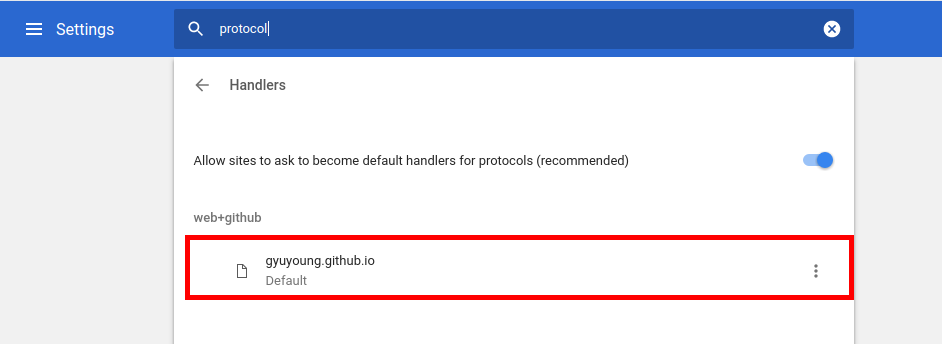
In the “Handlers” section of the settings (chrome://settings/handlers?search=protocol), you’re able to see that the custom handler was registered.

FYI, other browsers based on Chromium (i.e. Opera, Yandex, Whale, etc.) have handled it similar to Chrome unless each vendor has own specific behavior.

Safari (WebKit)

Though WebKit has supported this feature in WebCore and WebProcess of WebKit2, no browsers based on WebKit have supported this feature with UI. Although I had tried to implement it in UIProcess of WebKit2 through the webkit-dev mailing list so that browsers based on WebKit can support it, Unfortunately, some of Apple engineers had doubts about this feature though there were some agreements to support it in WebKit. So I failed to implement it in UIProcess of WebKit2.

My contributions in WebKit and Chromium

I’ve mainly contributed to apply new changes in the specification, to fix bugs and improve test cases. First, I’d like to introduce the bug that I modified in Chromium recently.

Let’s assume that URL has multiple placeholders(%s).

navigator.registerProtocolHandler("test",
                                  "http://example.com/%s/url=%s",
                                  "title");" 
<a href="test:duplicated_placeholders">this</a>

According to the specification, only first “%s” placeholder should be substituted, not substitute all placeholders. But, Chrome has substituted all placeholders with the given URL as below, even though Firefox has only substituted the first placeholder.

http://example.com/test%3Aduplicated_placeholders/url=test%3Aduplicated_placeholders

So I fixed the problem in [registerProtocolHandler] Only substitute the first “%s” placeholder. The latest Chromium substitutes only first placeholder like below,

http://example.com/test%3Aduplicated_placeholders/url=%s

This is a whole list what I’ve contributed both WebKit and Chromium so far.

  1.  WebKit
  2. Chromium

Summary

So far, we’ve looked at the navigator.registerProtcolHandler for your web application simply. The API can be useful if you want to make users use your web applications like a web-based email client or calendar.