Following up on my previous post, I would like to share an update on the progress of the Extension migration work that has been underway over the past few months.
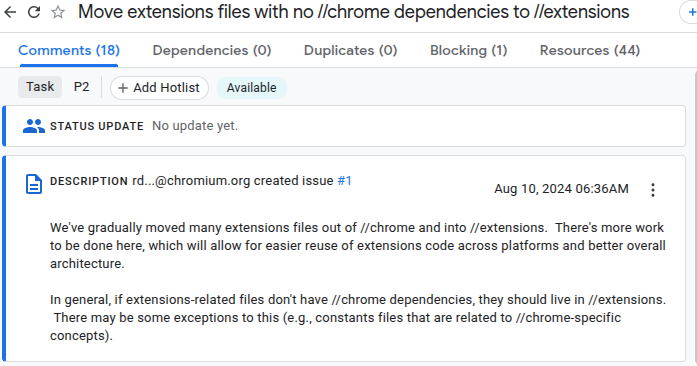
To briefly recap the motivation behind this effort: Igalia’s long-term goal is to enable embedders to use the Extension system without depending on the //chrome layer. In other words, we want to make it possible to support Extension functionality with minimal implementation effort using only //content + //extensions.
Currently, some parts of the Extension system still rely on the //chrome layer. Our objective is to remove those dependencies so that embedders can integrate Extension capabilities without needing to include the entire //chrome layer.
As a short-term milestone, we focused on migrating the Extension installation implementation from //chrome to //extensions. This phase of the work has now been completed, which is why I’m sharing this progress update.
Extension Installation Formats
Chromium supports several formats for installing Extensions. The most common ones are zip, unpacked and crx.
Each format serves a different purpose:
zip – commonly used for internal distribution or packaged deployment
unpacked – primarily used during development and debugging
crx – the standard packaged format used by the Chrome Web Store
During this migration effort, the code responsible for supporting all three installation formats has been successfully moved to the //extensions layer.
As a result, the Extension installation pipeline is now significantly less dependent on the //chrome layer, bringing us closer to enabling Extension support directly on top of //content + //extensions.
Patch and References
To support this migration, several patches were introduced to move installation-related components into the //extensions layer and decouple them from //chrome.
For readers who are interested in the implementation details, you can find the related changes and discussions here:
These links provide more insight into the design decisions, code changes, and ongoing discussions around the migration.
Demo
Below is a short demo showing the current setup in action.
This demo was recorded using app_shell on Linux, the minimal stripped-down browser container designed to run Chrome Apps and using only //content and //extensions/ layers.
To have this executable launcher, we also extended app_shellwith the minimal functionality required for embedders to install the extension app.
This allows Extensions to be installed and executed without relying on the full Chrome browser implementation, making it easier to experiment with and validate the migration work.
Next Steps
The next short-term goal is to migrate the code required for installing Extensions via the Chrome Web Store into the //extensions layer as well.
At the moment, parts of the Web Store installation flow still depend on the //chrome layer. The next phase of this project will focus on removing those dependencies so that Web Store-based installation can also function within the //extensions layer.
Once this work is completed, embedders will be able to install Extension apps from Chrome WebStore with a significantly simpler architecture (//content + //extensions).
This will make the Extension platform more modular, reusable, and easier to integrate into custom Chromium-based products.
I will continue to share updates as the migration progresses.
A History of Extensions for Embedders — and Where We’re Heading
Chromium’s Extensions platform has long been a foundational part of the desktop browsing experience. Major Chromium-based browsers—such as Chrome and Microsoft Edge—ship with full support for the Chrome Extensions ecosystem, and user expectations around extension availability and compatibility continue to grow.
In contrast, some Chromium embedders— for instance, products built directly on the //content API without the full //chrome stack—do not naturally have access to Extensions. Similarly, the traditional Chrome for Android app does not support Extensions. While some embedders have attempted to enable limited Extensions functionality by pulling in selected pieces of the //chrome layer, this approach is heavyweight, difficult to maintain, and fundamentally incapable of delivering full feature parity.
At Igalia we have been willing to help on the long term-goal of making Extensions usable on lightweight, //content-based products, without requiring embedders to depend on //chrome. This post outlines the background of that effort, the phases of work so far, the architectural challenges involved, and where the project is headed.
Note: ChromeOS supporting extensions (ChromeOS has announced plans to incorporate more of the Android build stack) is not the same thing as Chrome-Android App supporting extensions. The two codepaths and platform constraints differ significantly. While the traditional Chrome app on Android phones and tablets still does not officially support extensions, recent beta builds of desktop-class Chrome on Android have begun to close this gap by enabling native extension installation and execution.
The following diagram illustrates the architectural evolution of Extensions support for Chromium embedders.
Traditional Chromium Browser Stack
At the top of the stack, Chromium-based browsers such as Chrome and Edge rely on the full //chrome layer. Historically, the Extensions platform has lived deeply inside this layer, tightly coupled with Chrome-specific concepts such as Profile, browser windows, UI surfaces, and Chrome services.
This architecture works well for full browsers, but it is problematic for embedders. Products built directly on //content cannot reuse Extensions without pulling in a large portion of //chrome, leading to high integration and maintenance costs.
Phase 1 — Extensions on Android (Downstream Work)
In 2023, a downstream project at Igalia required extension support on a Chromium-based Android application. The scope was limited—we only needed to support a small number of specific extensions—so we implemented:
basic installation logic,
manifest handling,
extension launch/execution flows, and
a minimal subset of Extensions APIs that those extensions depended on.
This work demonstrated that Extensions can function in an Android environment. However, it also highlighted a major problem: modifying the Android //chrome codepath is expensive. Rebasing costs are high, upstream alignment is difficult, and the resulting solution is tightly coupled to Chrome-specific abstractions. The approach was viable only because the downstream requirements were narrow and controlled.
Following Phase 1, we began asking a broader question:
Can we provide a reusable, upstream-friendly Extensions implementation that works for embedders without pulling in the //chrome layer?
Motivation
Many embedders aim to remain as lightweight as possible. Requiring //chrome introduces unnecessary complexity, long build times, and ongoing maintenance costs. Our hypothesis was that large portions of the Extensions stack could be decoupled from Chrome and reused directly by content-based products.
One early idea was to componentize the Extensions code by migrating substantial parts of //chrome/*/extensions into //components/extensions.
We tested this idea through Wolvic , a VR browser used in several commercial solutions. Wolvic has two implementations:
a Gecko-based version, and
a Chromium-based version built directly on the //content API.
Originally, Extensions were already supported in Wolvic-Gecko, but not in Wolvic-Chromium. To close that gap, we migrated core pieces of the Extensions machinery into //components/extensions and enabled extension loading and execution in a content-only environment.
By early 2025, this work successfully demonstrated that Extensions could run without the //chrome layer.
However, this work lived entirely in the Wolvic repository, which is a fork of Chromium. While open source, this meant that other embedders could not easily benefit without additional rebasing and integration work.
This raised an important question:
Why not do this work directly in the Chromium upstream so that all embedders can benefit?
Phase 3 — Extensions for Embedders (//content + //extensions)
Following discussions with the Extensions owner (rdevlin.cronin@chromium.org), we refined the approach further.
Rather than migrating functionality into //components, the preferred long-term direction is to move Extensions logic directly into the //extensions layer wherever possible.
Chrome Web Store compatibility Embedders should be able to install and run extensions directly from the Chrome Web Store.
Short-term Goal: Installation Support
Our immediate milestone is to make installation work entirely using //content + //extensions.
Current progress:
✅ .zip installation support already lives in //extensions
🚧 Migrating Unpacked directory installation from //chrome to //extensions (including replacing Profile with BrowserContext abstractions)
🔜 Moving .crx installation code from //chrome → //extensions
As part of this effort, we are introducing clean, well-defined interfaces for install prompts and permission confirmations:
Chrome will continue to provide its full-featured UI
Embedders can implement minimal, custom UI as needed
What Comes Next:
Once installation is fully supported, we will move on to:
Chrome Web Store integration flows
Core WebExtensions APIs required by commonly used extensions
Main Engineering Challenge — Detaching from the Chrome Layer
The hardest part of this migration is not moving files—it is breaking long-standing dependencies on the //chrome layer.
The Extensions codebase is large and historically coupled to Chrome-only concepts such as:
Profile
Browser
Chrome-specific WebContents delegates
Chrome UI surfaces
Chrome services (sync, signin, prefs)
Each migration requires careful refactoring, layering reviews, and close collaboration with component owners. While the process is slow, it has already resulted in meaningful architectural improvements.
What’s Next?
In the next post, We’ll demonstrate:
A functioning version of Extensions running on top of //content + //extensions only — capable of installing and running extensions app.
from Igalia side, we continue working on ways to make easier integrating Chromium on other platforms, etc. This will mark the first end-to-end, //chrome-free execution path for extensions in content-based browsers.