
Introducing GstPipelineStudio 0.6.0
GstPipelineStudio 0.6.0 #
Let the Pipeline Build Itself #
GstPipelineStudio 0.6.0 is out! After 0.5.1 taught GPS to open dot files, this release teaches it to suggest: the next element for any free source pad, or even a complete pipeline from a media file.
The Right-Click I Always Wanted #
Almost since I started using GStreamer, I have wanted this feature. It comes straight from my days with GraphEdit and DirectShow: connecting black boxes taught me what each filter did, but I was never quite sure I had picked the best one for a given pin. So I relied on the right-click menu to show me my options.
GStreamer makes that question even harder. A typical development setup exposes more than 1,500 features, with five or more decoders able to handle H.264 alone. Which one should I use? Can I try another? Newcomers and seasoned developers alike ask this every day.
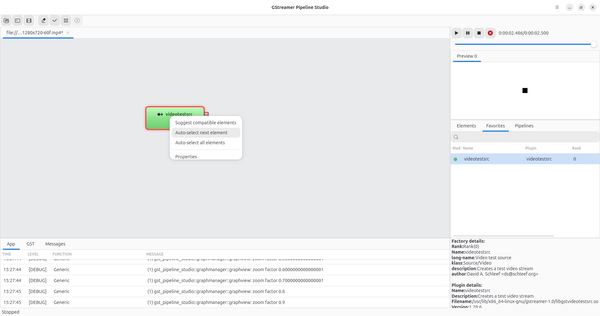
Right-click any free source pad and GPS now offers three choices:
- Suggest compatible elements: list the elements that can link to this pad
- Auto-select next element: let GPS pick the best candidate
- Auto-select all elements: let GPS build the whole branch, up to the last compatible element or the sink
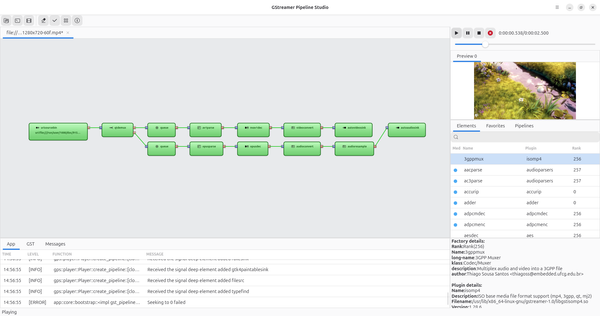
The same mechanism works from a media file. Open a URI and, much like decodebin3, GPS lays out a working pipeline with every decode branch. Except here you can see it, and change it. Try it, it’s really fun!
A Fresh, Living Interface #
GPS 0.6.0 has a new look. The panels have been reworked, and libadwaita now drives the UI on every platform, Windows included, so GPS looks and behaves the same wherever you run it.
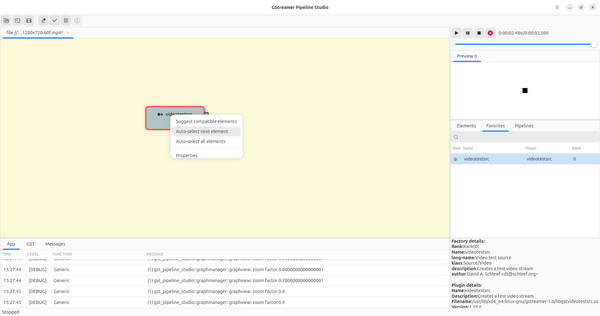
Color themes arrive too. Pick the one that suits you: the same pipeline, a different mood.
The interface also comes alive during playback. A heartbeat shows at a glance that your pipeline is running, so you are no longer watching a static diagram but a live system.
The graph view is also easier to handle. You can now select several elements at once, then move or delete them in a single batch, which makes large and complex pipelines far easier to reorganize. The underlying graphmanager library is becoming mature enough to fly on its own soon.
A Catalog of Classic Pipelines #
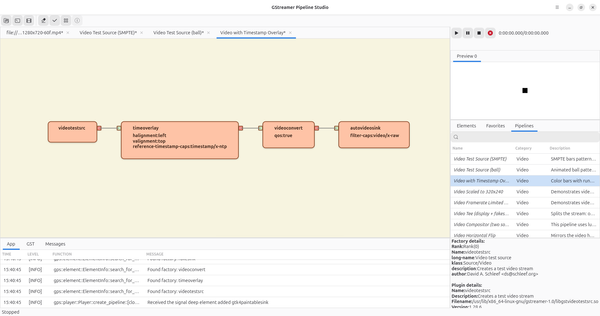
Not sure where to start? The new Pipelines tab lists classic GStreamer pipelines, adapted to your platform: test sources, timestamp overlays, scaling, framerate limiting, tee, compositor and more. Pick one, and it opens ready to play and tweak.
And More #
Here are the other improvements in 0.6.0:
- A much faster logger that keeps up with very verbose output such as
GST_DEBUG=*:7, laying the groundwork for log filtering - French and Spanish translations, managed with Weblate. Contributions for your language are welcome!
What’s Next #
Log filtering comes next. It could take GPS to another level, letting you validate a pipeline or track down a problem from a friendly interface instead of digging through raw logs. Pipeline statistics and smarter auto-suggestion are also on the way.
We had a great time building this release, and we hope you’ll have as much fun playing with it, and with the fabulous GStreamer framework. Feel free to propose new features with an RFC here or send merge requests here.
As usual, if you would like to learn more about GstPipelineStudio, GStreamer, or any other open multimedia framework, please contact us!
- Previous: Introducing GstPrinceOfParser 0.4.3