
Turnip’s evolution over the years, supporting flat-screen and VR games
It’s been more than 5 years since I started working on Turnip, the open source Mesa 3D driver for Adreno GPUs, with Igalia’s graphics team. Looking back, it’s amazing how much we have achieved together, and how much the driver has improved since then. Here’s my take on the evolution through those years, some of the challenges we faced and how we overcame them. Before I start, I want to thank all those great people from Igalia, Valve, and the Mesa community I’ve had the pleasure to work with.
This post is a bit one-sided as it contains my particular view of the evolution of Turnip through those years and it doesn’t touch on a lot of important features implemented, issues debugged, and improvements made by others.
Challenges
There are several overarching challenges that the Turnip driver has had and still has to this day:
- There was no hardware documentation, we had to reverse engineer everything, with the most painful part being hardware bugs that necessitate workarounds. I cannot say I became as good as I would have wanted in all that, but I’m grateful that in Turnip we had people with absolutely amazing HW reverse-engineering skills!
- Hardware wasn’t really built to run desktop games, at least at first. It became much better in A7XX generation, but there are still some bumpy parts. Running desktop games is specially important for hardware like the Steam Frame and others.
2021
Way back, when I started to contribute to the Turnip driver, we were fixing CTS tests, running “trivial”, by today’s standards, applications like “Genshin Impact”, “TauCeti Vulkan Technology Benchmark”, “3DMark”. I have a few posts describing some issues debugged back then:
- Turnips in the wild (Part 1) - Fixing “Genshin Impact”;
- Turnips in the wild (Part 2) - Fixing “Genshin Impact” and “TauCeti Benchmark”.
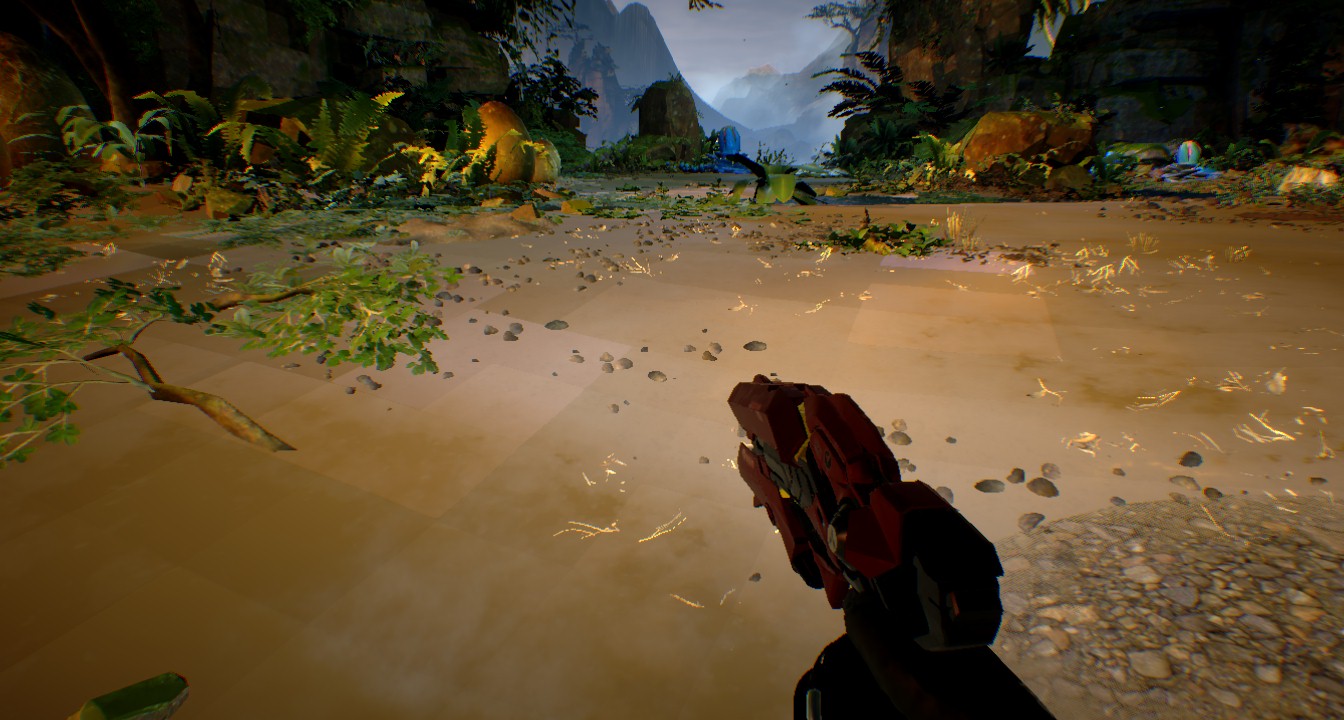
If you’d asked me back then about running AAA PC games, I would have nervously laughed at best =)
DXVK Time!
But soon, we found a way to at least test how PC games render on Adreno GPUs with Turnip; we weren’t able to run games on our development boards, but the driver, after a bit of massaging, had enough features to work with DXVK (Vulkan-based translation layer for Direct3D 8/9/10/11). So the solution at that time was to run the game on the PC, record Vulkan API calls with GFXReconstruct and a Vulkan profile that constrained the desktop GPU’s capabilities to those of the Adreno GPU.
A bit later I was able to “play” simple DirectX games on the development board by playing the game on a PC and in real-time replaying translated Vulkan API calls on the board. You can read more on this in “Testing Vulkan drivers with games that cannot run on the target device”.
That was a great start; we weren’t able to run games directly on our development boards, but we were now able to test them and begin to implement more features necessary for DXVK.
Measuring Performance
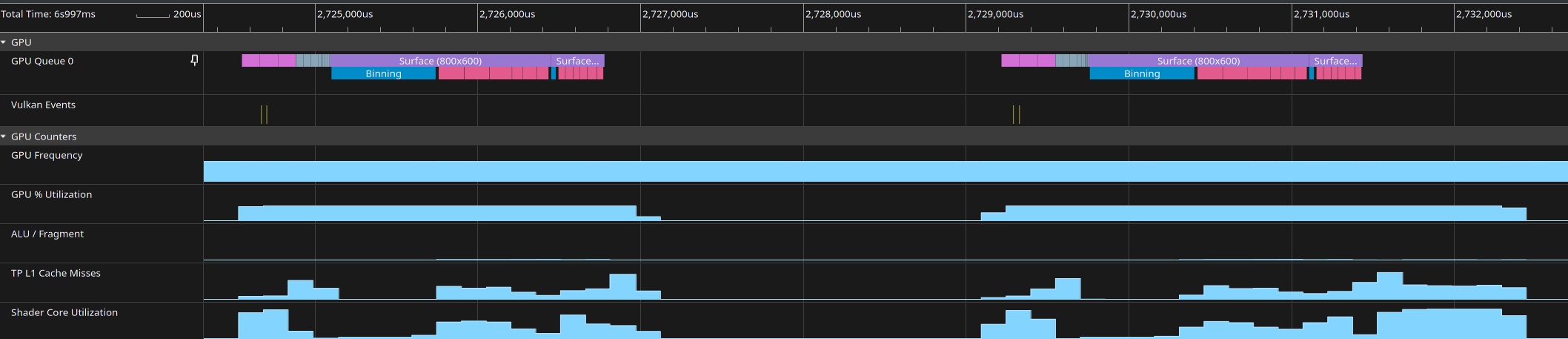
In parallel with trying to support DXVK, fixing issues, and reverse engineering hardware features, we found ourselves needing to better understand performance. We chose to support Mesa’s u_trace framework and integrate with Perfetto. At that time the performance measurement support in Mesa was rough, with only Freedreno (OpenGL driver for Adreno GPUs) supporting u_trace. Spoiler: as of now, most Mesa drivers either support or are in the process of merging support for u_trace/Perfetto integration.
2022
At the end of 2021 Turnip became Vulkan 1.1 conformant. We also started testing lots of single frame D3D11 captures of games we had, which uncovered plenty of new issues.
With more testing came more issues!
At that point I met our three two main adversaries over the years, in full force:
- Low-Resolution-Z (LRZ) depth optimization;
- GPU hangs, with the worst of them completely shutting down the SoC.
Low Resolution Z (LRZ)
Low-Resolution-Z is an extremely important optimization to get right in order to get reasonable performance out of our GPU (especially for VR games), but I believe it’s also one of the most complicated (at least from a software POV) depth-related hardware optimizations across various GPUs.

Conceptually it’s relatively simple - create a low resolution depth buffer during primitive binning pre-pass, throw out primitives that completely fail LRZ tests during binning. While during tiling, prevent a lot of overdraw by testing against this already formed low resolution depth buffer. But, in practice, there are lots of implicit restrictions on what can be done without disabling LRZ (to prevent correctness issues), and being too pessimistic when disabling LRZ can lead to unacceptable performance.
GPU Hangs
GPU hangs, on the other hand, are a plague that every graphics driver developer is intimately familiar with. However, at that time there were also unrecoverable hangs, which, due to certain issues in firmware or GPU HW itself, caused the entire SoC to shut down. They were an extreme pain to debug.
I tried many methods over time to debug them:
- At first I tried Vulkan-level breadcrumbs via “Graphics Flight Recorder”, it was useful at that time but far from perfect and abandoned by Google;
- Later, I implemented driver-level breadcrumbs that allowed finding the source of hangs at a finer level, and more importantly, synchronously going through breadcrumbs to debug unrecoverable hangs;
- Prototyped editing a captured submission to the GPU.

That made debugging somewhat bearable.
Turnip supports Vulkan 1.3
Meanwhile Turnip gained Vulkan 1.3 support! It was necessary for DXVK and VKD3D-Proton.
Reviewing VK_EXT_fragment_density_map
The third Harbinger of the Apocalypse has arrived: VK_EXT_fragment_density_map, the first stepping stone of the extensions essential for VR, was implemented by Connor Abbott. Since then I have been on the hook reviewing increasingly complicated interactions between VK_EXT_fragment_density_map and the growing host of extensions.
The fragment density map (Foveated Rendering) explanation can be found in the following blog posts from Qualcomm and Meta:
- Eye Tracked Foveated Rendering
- Improving Foveated Rendering with the Fragment Density Map Offset Extension for Vulkan
2023
Turnip began to support Adreno 7XX GPUs; previously we only supported the single 6XX generation, albeit with several sub-generations. The proprietary driver supported Vulkan since the 4XX generation, but it was only Vulkan 1.0, and 4XX/5XX generations were not powerful enough and didn’t have enough features to support anything with Vulkan.

New generation means more issues to fix!
To help with that I implemented:
rddecompilerwhich makes it possible to decompile captured raw submissions to the GPU into editable C code, coupled with the ability to replay them, print from shaders, and print from the command stream - resulted in a much faster debug loop;- A debug option that helps find where we use stale register values
TU_DEBUG_STALE_REGS_RANGE.
/* pkt4: GRAS_SC_SCREEN_SCISSOR[0].TL = { X = 0 | Y = 0 } */
pkt4(cs, REG_A6XX_GRAS_SC_SCREEN_SCISSOR_TL(0), (2), 0);
/* pkt4: GRAS_SC_SCREEN_SCISSOR[0].BR = { X = 32767 | Y = 32767 } */
pkt(cs, 2147450879);
/* pkt4: VFD_INDEX_OFFSET = 0 */
pkt4(cs, REG_A6XX_VFD_INDEX_OFFSET, (2), 0);
/* pkt4: VFD_INSTANCE_START_OFFSET = 0 */
pkt(cs, 0);
/* pkt4: SP_FS_OUTPUT[0].REG = { REGID = r0.x } */
pkt4(cs, REG_A6XX_SP_FS_OUTPUT_REG(0), (1), 0);
After a lot of command stream and shader reverse-engineering - at the end of the year the Adreno 7XX generation was in decent shape in Turnip.
2024
Work continued with Adreno 750 now being the main target. We had a lot of issues to debug and fix:

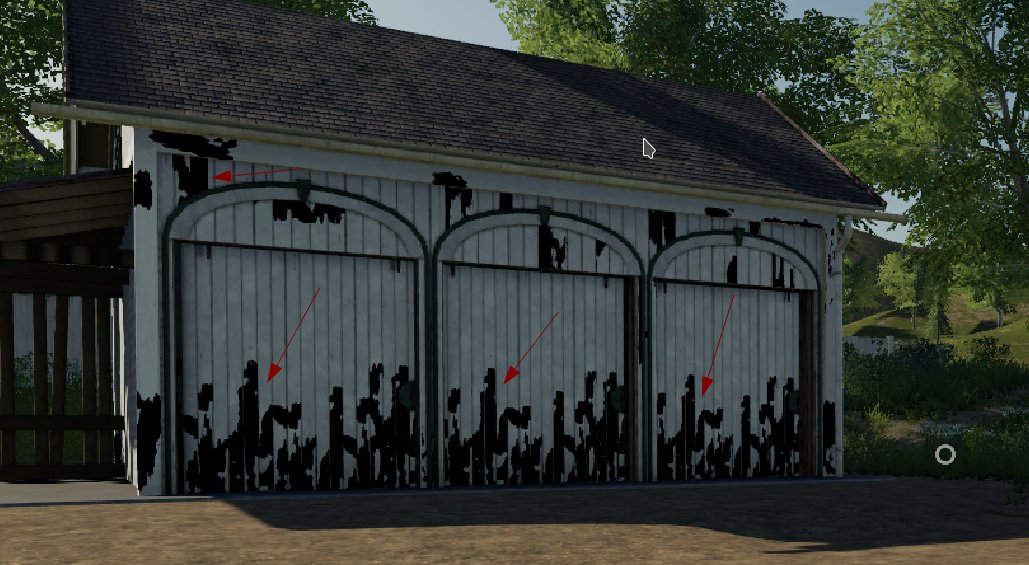
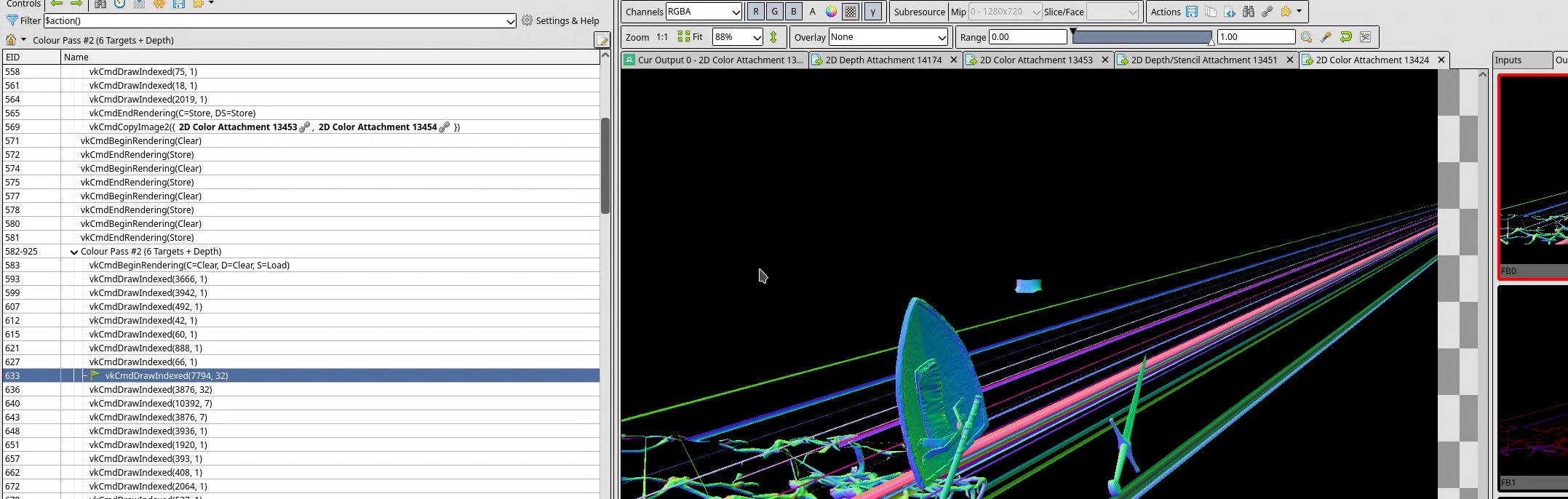
And many, many more games.
Android (Waste)Lands
While Turnip, as far as I can remember, was officially only used on some Google Chromebooks, there apparently was a dedicated community of people who tried and actually ran desktop games on Android via Termux. The community has grown since then, but it was great to have a real user already using the driver to play games and having better outcomes than with the proprietary driver, which often doesn’t get updated after a phone’s release.
While fascinating, those Android setups were hard to debug, so we used them only a few times.
Turnip Is Vulkan 1.4 Conformant and Preemption Support
Not my achievements at all, but two major milestones for Turnip were:
- We caught up with the Vulkan releases and were day 1 conformant to Vulkan 1.4 on A7XX.
- Preemption support - this is a crucial feature for VR and needed by the Steam Frame. The VR compositor has to be able to preempt games that are being rendered at that moment, otherwise we can miss a frame or several, which feels extremely bad for a user moving their head in the VR environment. An Adreno GPU can be preempted at two boundaries: at the drawcall/dispatch boundary in direct (sysmem) rendering, and at the tile boundary in tiling (gmem) rendering.
2025
More VR Extensions
Even more extensions came in from Connor: VK_QCOM_multiview_per_view_viewports, VK_QCOM_multiview_per_view_render_areas, VK_VALVE_fragment_density_map_layered, VK_QCOM_fragment_density_map_offset, VK_QCOM_subpass_shader_resolve, VK_EXT_custom_resolve. Those are essential for pushing VR performance to its limit. The biggest issue with FDM related extensions is that they don’t have good CTS tests; the complexity comes from the fact that a conforming driver implementation may simply choose not to reduce quality in regions specified by the density map. Even the size of those regions is not known to a game using those extensions!
As a result I wrote lots of tests that exercise various combinations of those extensions and require visual inspection for them to pass 🫠🫠🫠.
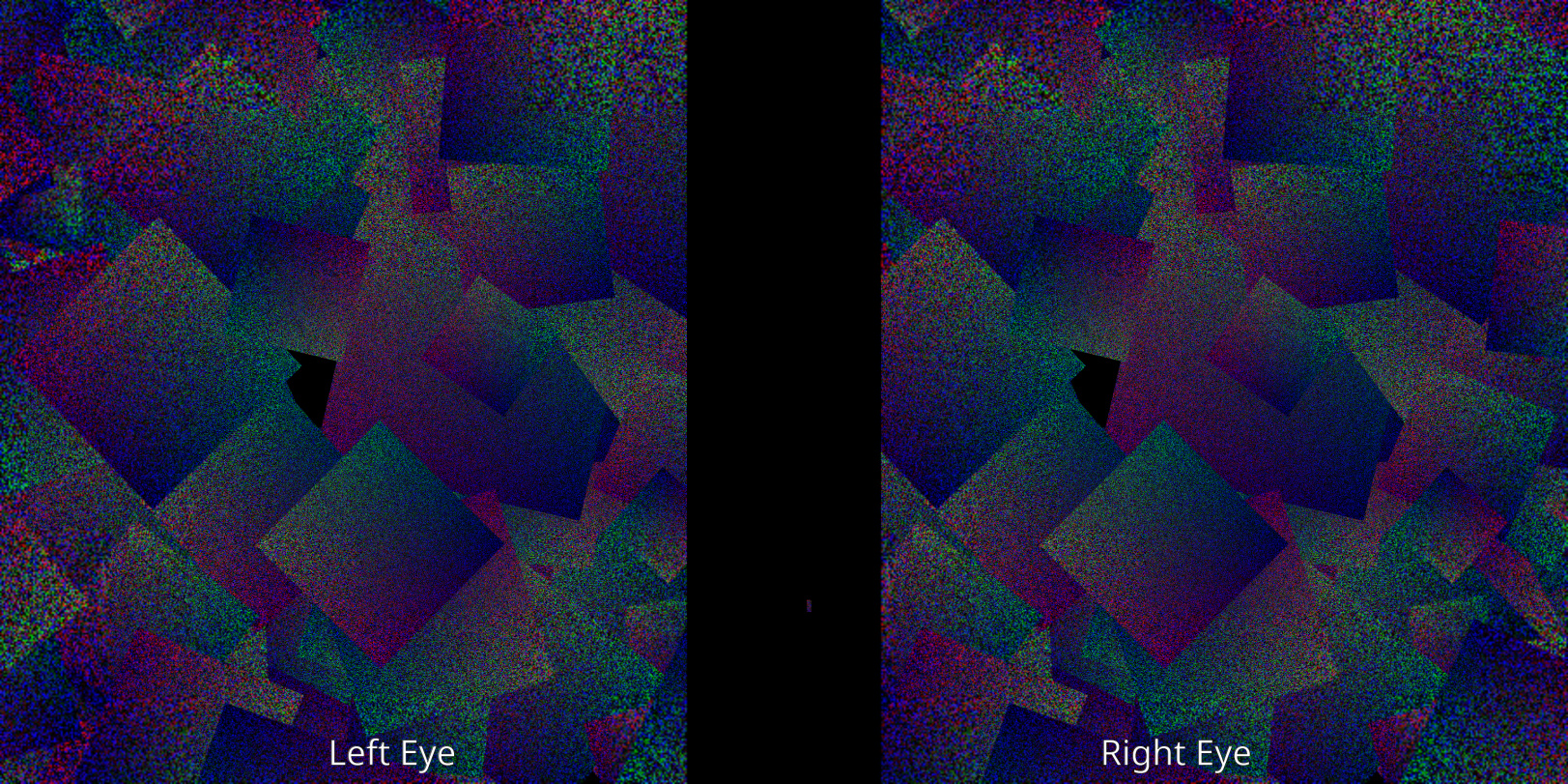
Those tests also measured performance, which helped us fix disparities with the proprietary driver.
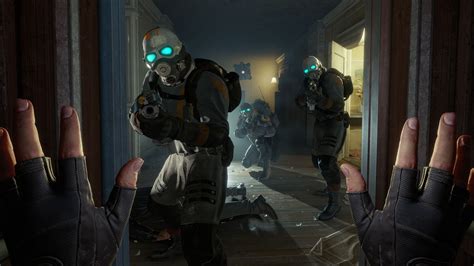
Half-Life: Alyx
What is going to use the above extensions to push Steam Frame to its limits? Of course, Half-Life: Alyx.
Even with previously mentioned tests in place, Half-Life: Alyx found plenty of both rendering and performance issues.
Are We Performant Yet?
We already had feedback from Android users running games that Turnip performance is sometimes better than the proprietary driver, but sometimes noticeably worse. But how to compare them? Turnip has Perfetto support, the proprietary driver has Snapdragon Profiler, but it’s hard to use and even then - we’d just see that some particular renderpass is faster or not. There could be hundreds or thousands of draw calls in a renderpass!
Staring at the command stream from the proprietary driver stopped yielding any insights, so the next step was to take a game trace that can run both on Turnip and Qualcomm’s driver and compare them draw by draw, measuring all performance counters along the way. It was done by lots of command stream patching, but the end result was an ability to compare key registers at every draw and every performance counter in existence.
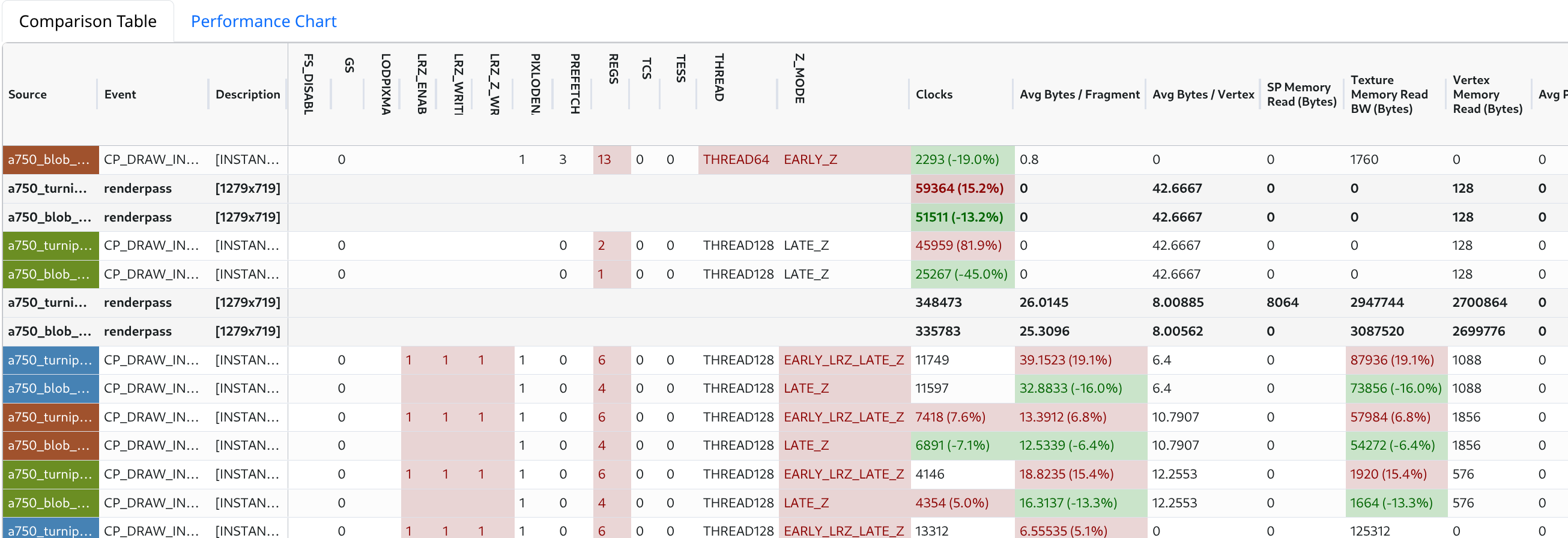
The resulting table was huge:
This helped us to close several gaps in performance, however the most useful part of the comparison was not the counters, but the register comparison. The counters, aside from execution time and LRZ stats, were surprisingly hard to convert into any useful insight.
Preventing Regressions
With the driver gaining capabilities, but not gaining many more users, we needed a way to prevent regressions while introducing more and more complex features. And while Vulkan Conformance Test Suite is being tirelessly improved upon year after year, it’s still far from enough.
It was time to introduce a CI system that would be able to detect visual regressions in rendering and performance regressions. We already had a number of d3d11 and d3d9 captures to start working with, and so it came to be:
Above, you can see one of the results where the rendering regressed. In most cases we run only a single frame capture instead of longer multi-frame traces. This was an explicit choice due to the observation that it’s better to have a wider selection of captures, than trying to cover any single game better (VR games are an exception here). In many cases only one or two captures out of hundreds regressed due to some issue; the regression was caused by some very specific pattern the game had, which wouldn’t appear in others.
Every night we test several driver configurations:
- Fixed DXVK/VKD3D versions + forced direct (sysmem) rendering;
- Fixed DXVK/VKD3D versions + forced tiling (gmem) rendering;
- Upstream DXVK/VKD3D versions;
- Turnip compiled with
ubsan(undefined behaviour sanitizer).
We also run important MRs through that CI to find regressions early on.
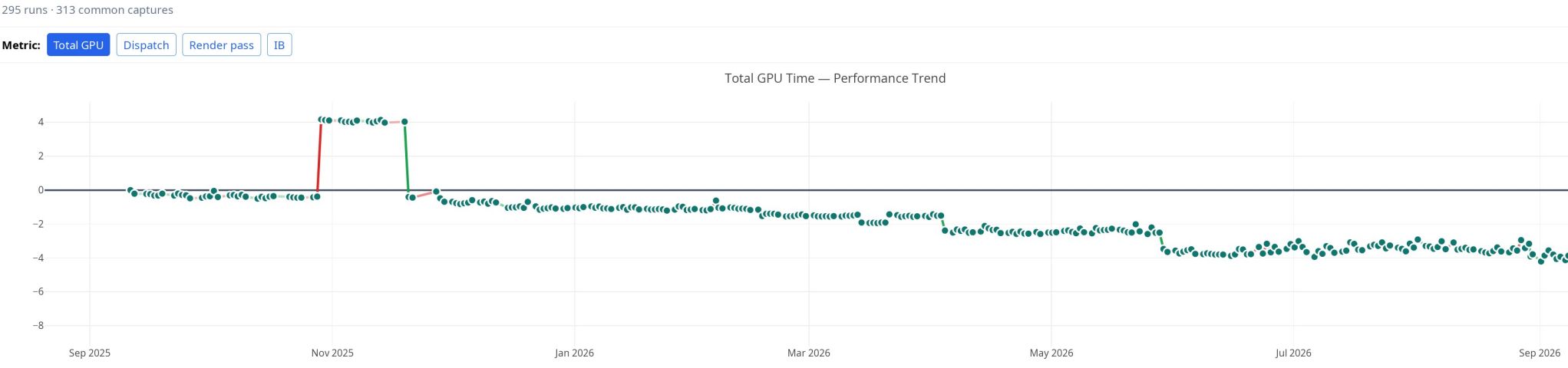
Every nightly run generates a performance datapoint, so we can see the line going down day by day. Don’t mind the bump where we had concurrent binning “optimization” enabled 🫠 (that’s a sad tale of an incredibly complicated HW feature which failed to deliver performance gains).
At the moment we are testing more than 600 different game frames per driver configuration; the APIs span D3D8-D3D12, Vulkan, and OpenGL. A single configuration runs in under an hour on just two Adreno 750 devices.
With CI in place we became increasingly confident in making changes to the driver.
See more in my XDC 2025 talk:
2026
Steam Frame was announced at the end of 2025; now we still had plenty of things to polish.
Performance
We were now working much more on performance, and the main culprit in bad performance is often Low-Resolution-Z being fully or partially disabled, especially in VR. We improved Perfetto tracepoints a lot: added new ones, fixed tracepoints with complex renderpass suspend-resume setups, and added performance warnings:

Now it was much nicer to work with, and something external developers could reasonably use.
As a result, while working on the performance of Half-Life: Alyx and some other VR games, we improved LRZ support a lot.
We’ve also compared Turnip against Qualcomm’s driver on a new GPU Performance Microbenchmark (gpu-ratemeter) to squash the rest of the performance differences.
There was also a lot of compiler work, done by great compiler engineers working on Turnip.
D3D12 Woes
As we have been testing more D3D12 games running through VKD3D-Proton, we started to find interesting issues. Those generally are: implicit D3D12 features/requirements, or some behaviour out of the D3D12 spec but which all desktop GPUs do, or in one case Turnip having a higher limit than desktop drivers. We saw at least:
- UE5 not working correctly with wave128 (only Adreno has such wide waves) up until a few months ago: vkd3d-proton PR #3265
- D3D12 not having a proper query/limit for number of elements in buffers, implicitly supporting more than Turnip advertises: mesa MR !41477
- One game relying on “fair” execution of dispatches when implementing its own spin locks in compute shaders: mesa MR !41562
- UE5 relying on higher memory allocation alignment than Turnip has: vkd3d-proton PR #3231
- Games not checking for
D3D12_FEATURE_DATA_D3D12_OPTIONS21::ExecuteIndirectTierbefore usingD3D12_EXECUTE_INDIRECT_TIER_1_1commands
Alyx ☆ Rare GPU Hangs
It’s “good” when the GPU hangs at a predictable place, it’s bad when the GPU hangs randomly, and it’s even worse when the GPU stops hanging when you try to isolate the issue in any way to debug it.
One of such hangs happened in Half-Life: Alyx, when moving through a specific location the GPU hung, sometimes, and sometimes it didn’t for a long while. I’ve tried:
- At first it seemed to happen only on the stable Turnip branch, so I’ve tried to bisect the issue;
- After a while I found out that it happened in any branch;
- I tried to stare at GPU coredumps - no luck;
- Tried to get a gfxreconstruct trace to reproduce the hang; it might hang once or twice out of many replays.
What is almost impossible to do in such cases is test whether disabling a certain driver feature helps; you always have doubts - it didn’t hang this time because of the feature I disabled, or I’m just unlucky. This happened several times during the investigation, the hang would disappear for an hour, and then reproduce several times in a row.
Previously I wrote that we have a mechanism to capture and replay raw submissions that are sent to the GPU. Yes, I tried that too, we can capture the submission that hanged the GPU. Guess what? The captured submission executed absolutely normally and didn’t hang, not on the first execution, nor on thousands….
At that point I still didn’t have a single clue what’s going wrong, aside from some kind of hardware errata being involved. It was time to improve the debug tooling even further. Before, the captured .rd submission could be replayed once with one replay invocation, but the issue at hand demanded lots of iterations, and more ergonomic editing of the command stream than we previously had. So I’ve made improvements (they still are work-in-progress) to:
- Loop specific submission any number of times;
- Quickly disable specific draw call ranges in the submission;
- Automatically bisect which draw/dispatch causes hang/fault.
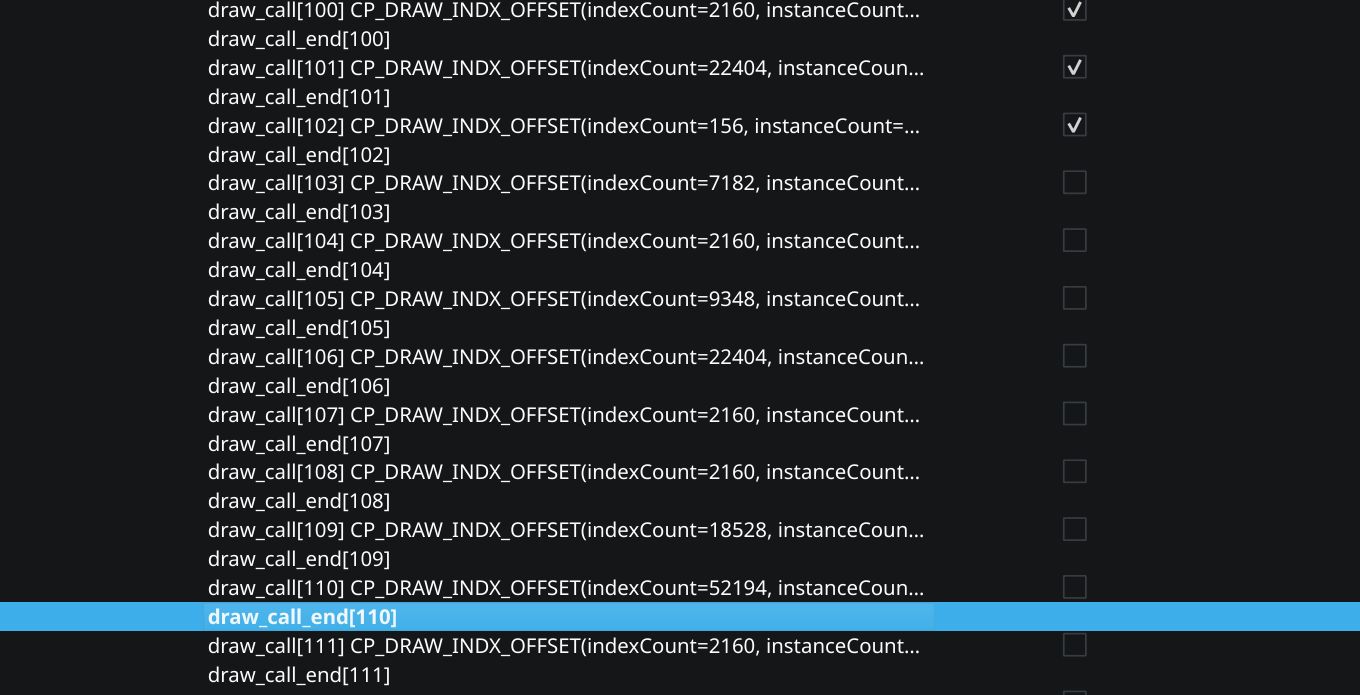
Only with each bisection step doing 50000 iterations was I able to narrow things down to a few draw calls. Looking at them closely still yielded only more head scratches though. However, with things narrowed down that far, I had something to poke other, more knowledgeable people with.
After some back and forth, it appeared that I hadn’t thoroughly checked all shader debug options we had, or rather, I checked the option, but due to the rarity of the hang I misidentified it as not helpful!
In the end it appeared that there were two hardware errata that needed to be implemented in our shader compiler. And we got “lucky” that they were revealed by one of the most important games to run on the headset.
Present
Driver work never ends, there are still games to debug, features to implement, and VR performance to improve. The fact that Steam Frame runs Linux, is based on open-source software, and isn’t locked down means that Steam Frame would be used in many ways unforeseen by us. I hope that Steam Frame release would bring improvements to the VR ecosystem and spearhead PC gaming on Linux running on ARM platforms.
Comments